Labour leadership explainer
Why Labour Is Rewriting Its Story Around Andy Burnham
The same professional machine that sold Starmer as competence is now selling Burnham as connection. The question is whether that is a change of politics, or merely a change of story.
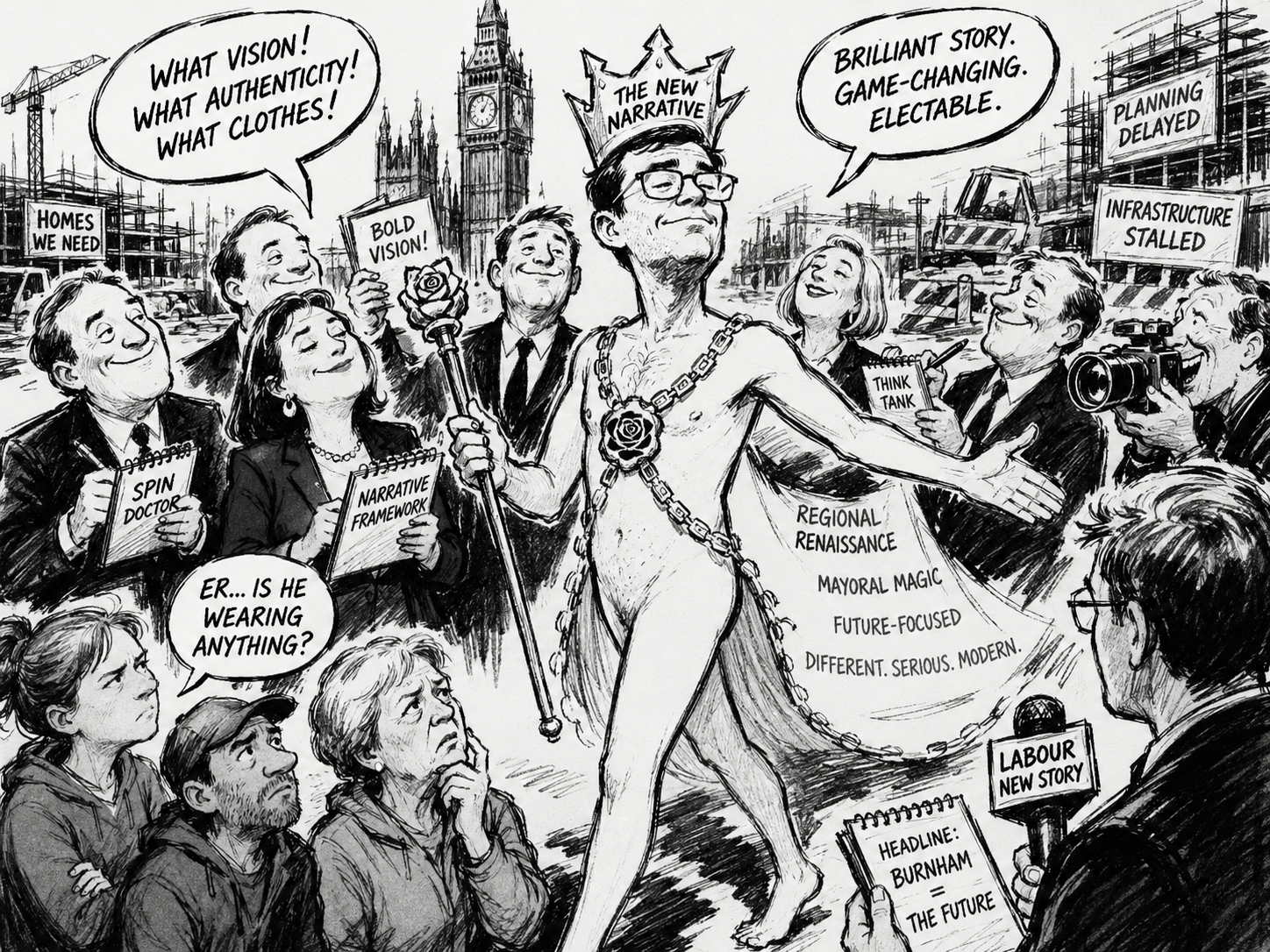
Labour’s current leadership drama is not simply a contest over Andy Burnham, Keir Starmer, or any other individual figure. It is a struggle over how the party’s ruling class understands politics. The most important thing to grasp is that the group now presenting Burnham as the answer is largely the same kind of group that previously presented Starmer as the answer. It believes politics is won by building a story about what the party is, what the country needs, what counts as responsible politics, and which choices are therefore possible.
This is why the emerging Burnham story feels both new and familiar. The face is different, but the method is not. Starmer was presented as competence, seriousness, discipline and restoration after the Corbyn years. Burnham is now being presented as connection, authenticity, northernness and emotional reach after the failures of Starmerism. In both cases the party’s professional machinery is trying to solve a political crisis by building a public account of the leader and then organising MPs, journalists and activists around it.
That machinery matters because it still belongs to the same Labour formation that built the Starmer project. It is made up of MPs, advisers, journalists, policy professionals, lawyers, NGO figures, think-tank people, public-sector managers and communications specialists who share a common institutional language. They are comfortable with process, message discipline, reputational control and elite validation. They know how to brief journalists, how to describe a candidate as “serious”, how to frame opposition as irresponsible, and how to make a political preference look like common sense.
This group’s basic instinct is not to listen first and then adapt. Its instinct is to decide what events mean and then organise politics around that meaning. When voters rebel, the machine tends to treat the rebellion as a problem of explanation. When Labour loses trust, the answer is a new story. When a leader fails, the answer is a new figure through whom the story can be carried. That is the continuity between Starmer and Burnham.
The deeper split inside Labour is therefore not simply left versus right. It is between Labour as a graduate-professional institution and Labour as an electoral coalition. The first group controls much of the party’s public voice: its media relationships, candidate filters, policy language, campaign discipline and respectable vocabulary. The second group is made up of the voters and local political networks Labour needs in order to survive: people who stay loyal, abstain, switch to Reform, punish Labour in local elections, or decide whether the party still sounds as if it represents them.
Those two worlds understand politics differently. The professional Labour world thinks in terms of narrative, norms, inclusion, institutional credibility, legal caution, policy expertise and media presentation. The electoral Labour world thinks in terms of wages, housing, migration, public order, national belonging, public services, visible unfairness and whether Labour appears to look down on ordinary voters. The first world often believes it is being responsible. The second often experiences that responsibility as evasion.
This is why Starmerism became brittle. It was not simply that Starmer was too centrist, too cautious or too managerial. It was that his leadership came to embody the instincts of the professional control layer. It narrowed the range of acceptable speech, prized discipline over emotional connection, and assumed that institutional seriousness would be enough. For a time, that worked as a contrast with Conservative chaos. But once Labour itself became the object of voter frustration, the same qualities became liabilities.
Burnham is now being used to patch that breach. To Labour’s electoral side, he can be presented as northern, grounded, direct, less London, less technocratic and more able to speak to voters who think Labour has become a graduate caste. To Labour’s professional side, he remains containable: a former cabinet minister, an experienced politician, a familiar Labour figure, media-trained and unlikely to blow up the institutional structure of the party. That dual readability is his immediate political value.
But it also exposes the risk. Burnham is not only being chosen; he is being fitted into a story. The old Starmerite media machine is trying to translate him into its own terms before he has full control of the party. It will describe him as renewal without rupture, emotional connection without populism, change of tone without a change of regime. That framing is designed to reassure MPs, donors, journalists and institutional stakeholders that Labour can have a new face without a deeper transformation.
The problem is that the voters Labour is worried about may want more than a better story. They may want proof that the party has changed its view of them. They may want a Labour leader who can talk about borders without embarrassment, crime without euphemism, wages without abstraction, patriotism without discomfort, and public services without managerial jargon. They may want evidence that Labour has stopped treating electoral anger as something to be managed by communications professionals.
That is the central question around Burnham. Is he a genuine correction to the politics of the professional Labour class, or is he the latest figure being fitted into its preferred story? If he changes only the presentation, the party may briefly stabilise but not solve the underlying problem. If he changes the way Labour listens, speaks and selects priorities, he could alter the balance between the professional machine and the electoral coalition.
For now, the signs point in both directions. Burnham is attractive because he can be read as a bridge between the two Labour worlds. But the people presenting him as the solution still appear to believe that politics is primarily a matter of story-building. They sold Starmer as competence. Now they are selling Burnham as connection. The danger for Labour is that voters have become less interested in the story the party tells about itself, and more interested in whether it has actually understood what went wrong.